

A surge protector indicator light is a status signal, not a complete health report. A green light may indicate that the monitored protection path is connected under the device’s stated conditions; an unlit or changed light may indicate an end-of-life state, loss of supply, wiring issue, or another condition defined by the manual. Read the exact product instructions before deciding that the device is safe, failed, or ready for replacement.
The practical maintenance goal is to separate three questions: is the circuit energized, is the SPD status indication normal, and what replacement action does the manufacturer specify?
What a surge protector indicator light can tell you
Indicator designs vary. Some monitor a protection element, some combine a window with a remote contact, and some use different colors or positions. Because the signal is product-specific, do not transfer a green or red meaning from one brand or model to another. Record the model, location, observed state, and the manual revision in the maintenance log.
An indicator also cannot prove that every connected circuit is protected. A panel SPD may monitor its own internal path while a separate control or communication path remains outside its scope. The status light should therefore trigger a documented review, not a broad claim about the whole facility.
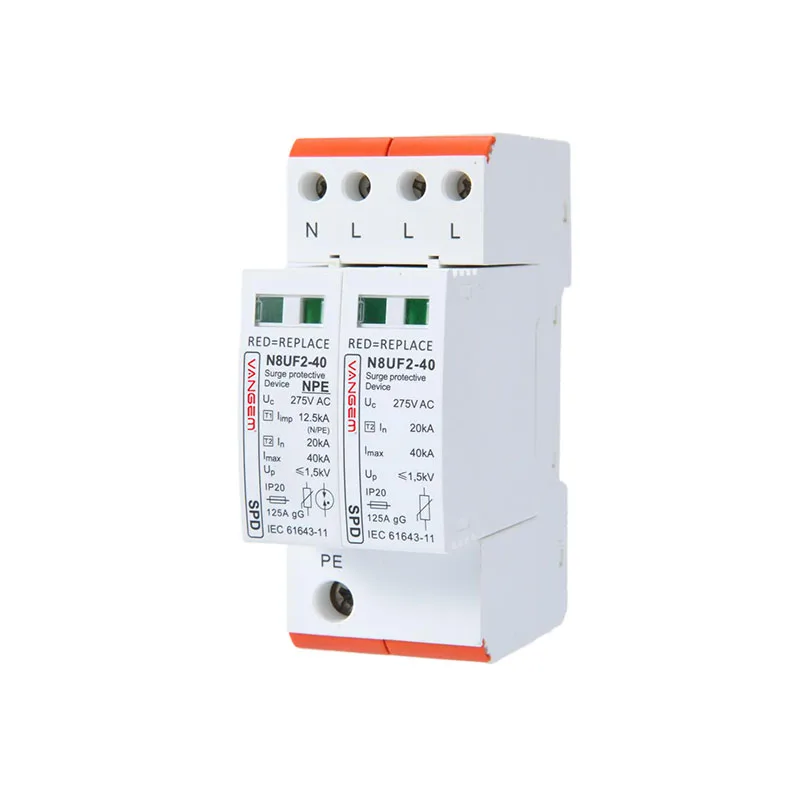
Indicator light review table
| Observed condition | What it may mean | Next evidence |
|---|---|---|
| Normal indication | The monitored circuit and protection element appear normal under the manual’s definition. | Model number, supply condition, and inspection date. |
| Unlit indication | Possible end-of-life, loss of supply, loose connection, or a model-specific state. | Manual, upstream voltage check by a qualified person, and remote contact if fitted. |
| Changed color or position | A warning or replacement signal may be active. | Exact model instructions and maintenance record. |
| Light normal but equipment issue continues | The event may be on another path or outside the SPD’s scope. | Power, control, and communication path review. |
When to plan replacement
- Identify the SPD model and the circuit it protects.
- Compare the observed indicator with the current installation or service manual.
- Check whether a remote alarm, auxiliary contact, or upstream supply condition changes the interpretation.
- Record a replacement trigger and the approved replacement family before removing equipment.
- After replacement, document the new model, date, and status indication.
Use the Wanze AC surge protection device category for family discovery, then verify the exact indicator behavior and replacement instructions in the selected model documentation.
FAQ
Does a green surge protector light guarantee protection?
No. It reports a model-defined status condition. It does not prove every circuit, interface, or event condition is protected.
What should I do if the SPD light is off?
Keep people away from energized work, identify the model, and follow the current manual and qualified electrical review process. Do not infer the cause from color alone.
Can an SPD still supply power after its protection element fails?
Some designs may continue to pass power while the protection function is degraded or disconnected. The exact behavior and replacement signal are product-specific.