

A spec sheet summarizes the details or requirements that define a product. In an industrial purchase, it helps the buyer and supplier discuss the same item, version and conditions. Its value comes from making the requirement clear enough to compare with the supplier’s offer.
A useful handoff keeps three things visible: what the buyer needs, what the supplier’s documents state and which questions remain open. This guide uses that purchasing context. Product-development teams and other industries may organize their specification sheets differently.
What a spec sheet does in a product discussion
A product specification gives people a shared reference for design, functionality and requirements. NASA’s engineering checklist emphasizes clear requirements, consistent terminology and traceable references. These are useful document-reading principles for an industrial purchase; the checklist does not prescribe a purchasing template.
Engineering may define a requirement, purchasing may gather a quotation, and a supplier may provide a datasheet. Keep the source and role of each statement clear. A requested characteristic expresses the buyer’s need; a datasheet describes the supplier’s stated product information; an agreed response records how the supplier addresses the request.
A spec sheet can connect these documents through references. That keeps the comparison compact while allowing a reviewer to find the underlying detail. Give each referenced file an identity and revision, especially when several versions have circulated.
Build a comparison before the RFQ handoff
Start with the intended product and use context. Gather the requirements that the responsible team has defined, then examine the relevant catalog or datasheet information available for candidate products. The comparison helps identify the questions to include in a request for quotation, or RFQ.
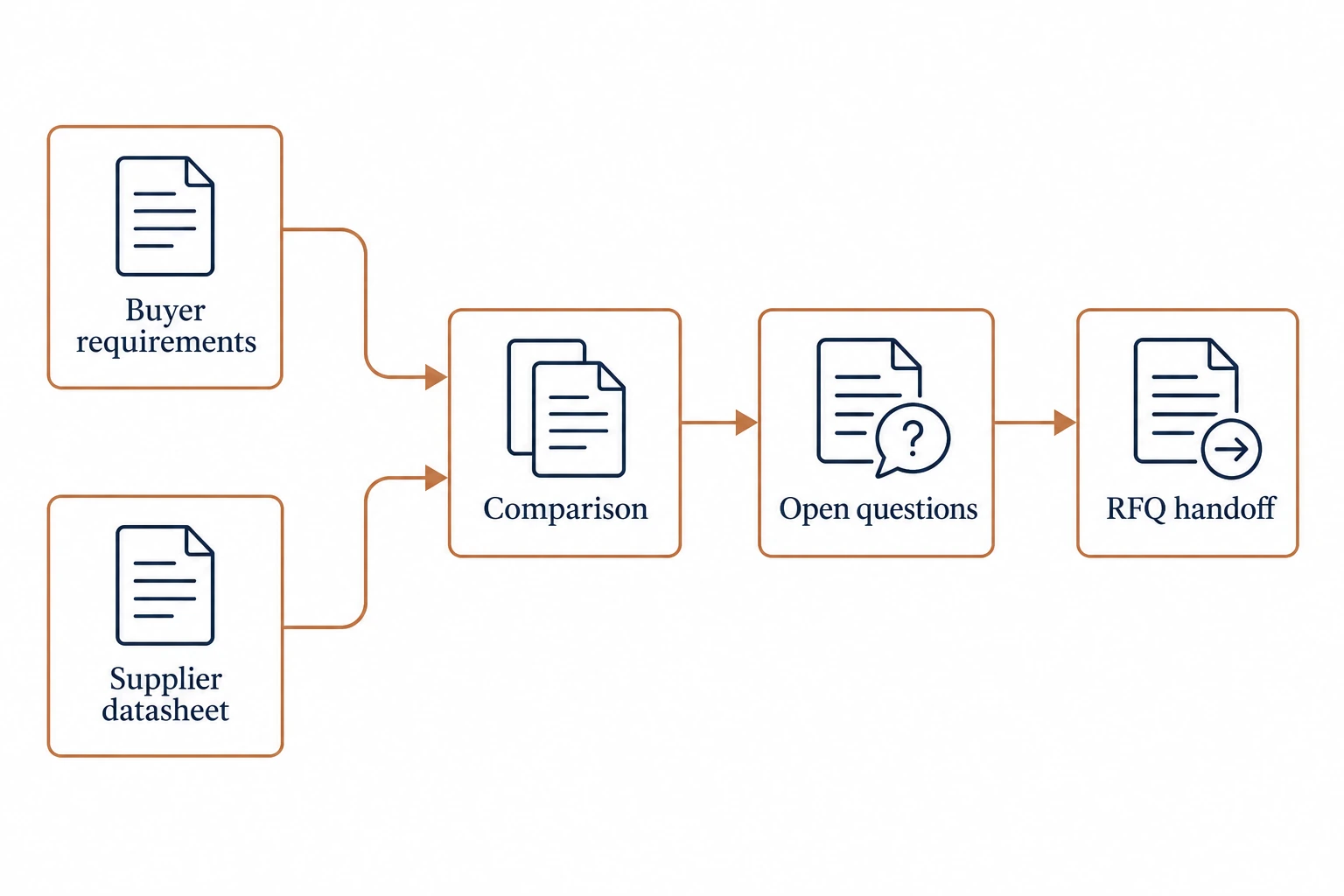
The original worksheet below shows how to organize that review. Its entries describe information to capture, rather than fabricated product specifications. Add the actual requirement and source references for the item under consideration.
| Review field | Buyer-side reference | Supplier-side evidence | Open question |
|---|---|---|---|
| Product identity | Requested model or defined product scope | Exact offered designation | Which version does the offer cover? |
| Characteristic | Defined requirement with units and conditions | Relevant datasheet entry | Do the stated conditions match? |
| Physical fit | Applicable drawing or interface requirement | Offered product drawing | Which drawing revision applies? |
| Documentation | Records requested for review | Identified documents available | Which records match the offered item? |
| Change status | Current requirement revision | Current response and file versions | What changed since the earlier response? |
Give each response a clear status. A supplier may have answered a question, supplied a document for review or left a point unresolved. Preserve that distinction when summarizing the offer. A document received is useful evidence of a response, while its applicability still needs to be assessed.
Keep units and conditions attached to values. If a datasheet entry depends on a stated condition, carry that condition into the comparison. A number copied without its context can appear to answer a requirement while leaving the important question open.
Example: turning “see brochure” into a useful response
Imagine a buyer preparing an RFQ for a defined product configuration. The supplier responds to a physical-fit question with “see brochure,” but the brochure shows several variants. The response supplies background information while leaving the offered configuration unclear.
A focused follow-up asks for the exact variant and its applicable drawing. The buyer can then compare that drawing with the requirement reference and record which question the response answers. This creates a traceable path from requirement to evidence and decision.
If the supplier offers a different configuration, record the proposed difference explicitly. Route it to the person responsible for the requirement. Purchasing can preserve the proposal and its commercial context while the relevant technical decision remains with the assigned reviewer.
The same approach helps with incomplete document packs. Identify the missing connection precisely: an unnamed model, an unclear revision, a condition omitted from a response or a record whose scope remains uncertain. A specific question is easier for the supplier to answer than a general request for “better specifications.”
Keep the handoff current and reviewable
Before issuing the RFQ, check that everyone is using the same requirement set. Name the files, preserve their revisions and list the open questions. Ask the supplier to identify exceptions or proposed alternatives against those references so the responses can be compared consistently.
After a response arrives, update the comparison with its source and status. When a requirement changes, identify which earlier answers need review. An old response may remain relevant to an unchanged field while another field requires a fresh answer.
Supplier evaluation extends beyond the product sheet. NIST’s manufacturing guidance highlights capability and production or inspection documentation as useful supplier-review topics. Keep those requests connected to the sourcing discussion rather than treating a polished brochure as the whole evidence pack.
For an AC surge-protection purchase, the AC surge protection device category provides a starting point for identifying product families. Continue with the exact model’s applicable documents and a clear question list. A reviewable spec sheet gives each requirement, response and unresolved issue a place in that conversation.
References
- NASA: Writing clear requirements — clarity, consistent terminology and traceable references.
- NIST: Supplier selection guidance — capability and documentation context.